Microphone: A Handwritten Font That Elevates Real Business Branding
Last Tuesday, I helped a local candle maker update her jar labels—simple white kraft paper, black ink, and a new batch of lavender-vanilla scents launching next month. She’d been using a free script font from a design site, but something felt “off”: the letters looked stiff, the flow was inconsistent, and when printed at 8pt on a 2-inch label, the lowercase a and g blurred together. That’s when we swapped in Microphone. Within minutes, the label breathed—elegant, warm, intentional. Not “fancy for fancy’s sake,” but polished in a way that made her small-batch craftsmanship feel instantly more trustworthy.
What Makes Microphone Feel Like a Thoughtful Design Choice
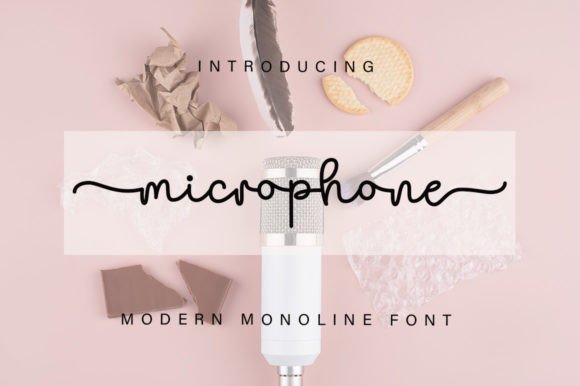
Microphone is a premium handwritten font from the Script Amp collection—designed not as a decorative flourish, but as a functional, expressive typeface with personality. It’s graceful without being fussy, fluid without sacrificing clarity. The letterforms have gentle contrast, natural entry and exit strokes, and subtle variation in line weight that mimics real pen-on-paper movement. It doesn’t shout—it invites. That makes it especially effective for businesses where warmth, authenticity, and quiet confidence matter: bakeries, skincare brands, independent cafés, boutique studios, and service-based creatives like wedding planners or life coaches.
Unlike many script fonts that collapse at small sizes or lose character on screen, Microphone holds its own across formats. We tested it on matte-finish product stickers (3.5” round), Instagram story templates (1080×1920), and even a laminated café menu board—no pixelation, no awkward spacing, no need to manually adjust kerning between every letter. It’s built for real use, not just mood boards.
Where Microphone Works Best—And Where to Use It With Care
This isn’t an all-purpose font—and that’s its strength. Microphone shines brightest as a display font: logos, packaging titles, greeting card headlines, social media banners, and short brand statements (“Hand-poured • Small-batch • Made in Portland”). Its rhythm and charm come through most clearly in 16–48pt ranges, especially when set with generous letter spacing.
We used it for a ceramicist’s business cards—just her name and website in Microphone, paired with a clean sans serif for contact details. Customers consistently remarked how “memorable” and “handmade-feeling” the card looked—even though it was professionally printed. On the flip side, we avoided it for ingredient lists on skincare labels or long paragraphs in email newsletters. For those, a highly legible sans serif remains essential. Typography isn’t about uniformity—it’s about assigning the right voice to the right moment.
Pairing Microphone With Other Fonts—Without Overcomplicating Things
Font pairing doesn’t require design school. Think of Microphone as your brand’s signature—distinctive and personal—and pair it with something that plays well in supporting roles. A neutral, friendly sans serif (like Montserrat, Inter, or even system fonts like Helvetica Neue) works beautifully for body text, pricing, addresses, or care instructions. The contrast feels intentional, not accidental: one voice that expresses character, another that ensures clarity.
We also saw lovely results pairing Microphone with a light, elegant serif (think Playfair Display Light or Cormorant Garamond) for a bridal boutique’s thank-you cards—script for the couple’s names, serif for the heartfelt message below. No clashing, no visual competition. Just harmony that reinforces tone: refined, sincere, unhurried.
Practical Tips Before You Install and Use It
Before dropping Microphone into your next Canva template or Adobe Illustrator file, take two minutes to check what’s included. As a Script Amp font, it typically ships with OpenType (.otf) and TrueType (.ttf) files—both safe for print and web use. Look for stylistic alternates (like a swash capital L or connected th ligature) that add polish to logos or monograms. Some versions include uppercase-only, lowercase-only, or even a subtle shadow variant—great for mockups or layered designs.
Also verify commercial licensing. Since Microphone is a Fonts category asset, its license covers use in client work, physical products (candle labels, bakery boxes, clothing tags), digital downloads, and social media graphics—as long as you’re not reselling the font file itself. If you’re designing templates for sale (like editable Canva invitations), double-check the license permits that usage. It’s a small step that saves big headaches later.
Why This Small Detail Actually Moves the Needle
In branding, consistency builds recognition. Recognition builds trust. And trust—especially for small businesses competing with bigger players—often starts with how something *looks* before it’s even read. A well-chosen font like Microphone quietly signals care: care in sourcing, care in presentation, care in how customers are welcomed. It’s not magic—but it’s one of the fastest, most affordable ways to upgrade your visual identity without redesigning everything.
That candle maker? Her new labels shipped last week. She told me a customer stopped in just to say, “Your jars look like they belong in a magazine.” That’s not about wax or scent—it’s about how Microphone helped her brand speak with quiet confidence, right down to the curve of a single letter.